As an Instructional Designer at Amazon Robotics (AR), I was tasked to create content for specific
audiences, supporting operational and technical roles. The challenges I faced at AR were
exciting and gave me the opportuntity to learn new tools like Git, Python, and Sharepoint. The
content that I created took three different forms in an effort to best reach our target audience
in an efficient and memorable way. You can explore them below:
As the Christmas shopping season approached, leadership needed a way to reach operations associates with high priority, time-sensitive content that was separate from general trainings.
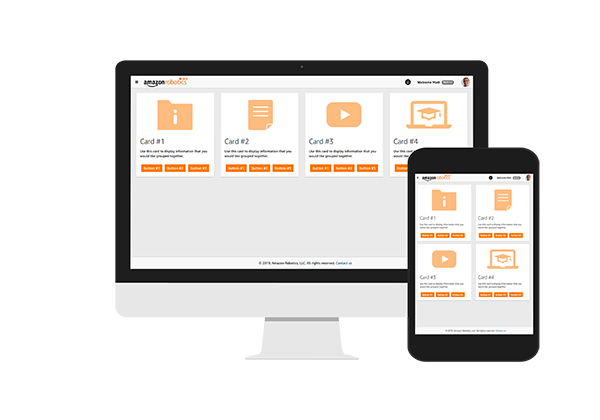
I developed landing pages that organized content by topic and introduced graphics to help users find what they were searching for more easily. The landing pages gathered 10,000 total page visits and 500 unique visitors in 3 months following launch.
I was asked to create multiple Elearning courses to help associates understand different technologies and processes that AR develops. I realized that a centralized location for the content would be beneficial, so I developed a landing page template that would host information specific to the audience or topic. I used HTML, CSS, and JS to develop the template which was hosted on a Sharepoint server. The content in the example is divided by type: documentation, one-pagers, videos, and Elearnings.
My team needed a way to rapidly produce courses in Articulate Storyline for multiple audiences and then be able to manage and maintain those courses efficiently. The need arised from the future challenge of supporting over 200 courses in more than 8 languages in the coming year.
I designed a Storyline template that supported the creation of 30 courses which accumulated about 7,000 completions in 3 months. Click here or on the laptop to experience a course demo.
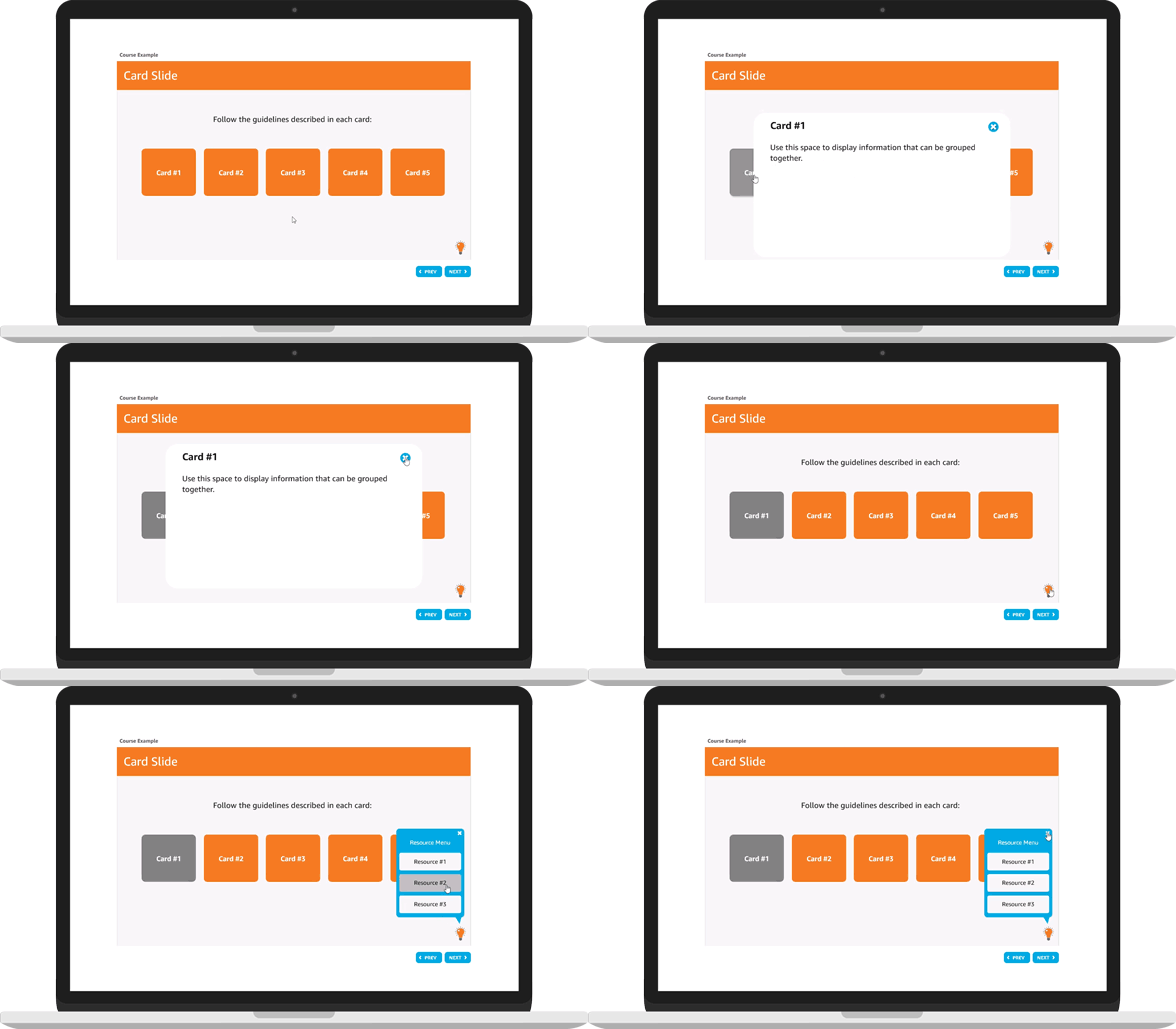
My team requested courses be developed that would emphasize the user experience, replacing the current solution of replicating Powerpoints that our SMEs provided us. This process involved thinking about the specific audience and tailoring the delivery of the content in a way that was easily understood. One of my solutions was to divide the content into digestible “chunks”, to help users isolate concepts in a comprehensible way that would allow for larger relationships in the system to become clear.
The leadership team needed a way to physically reach the operations audience in a highly visible way.
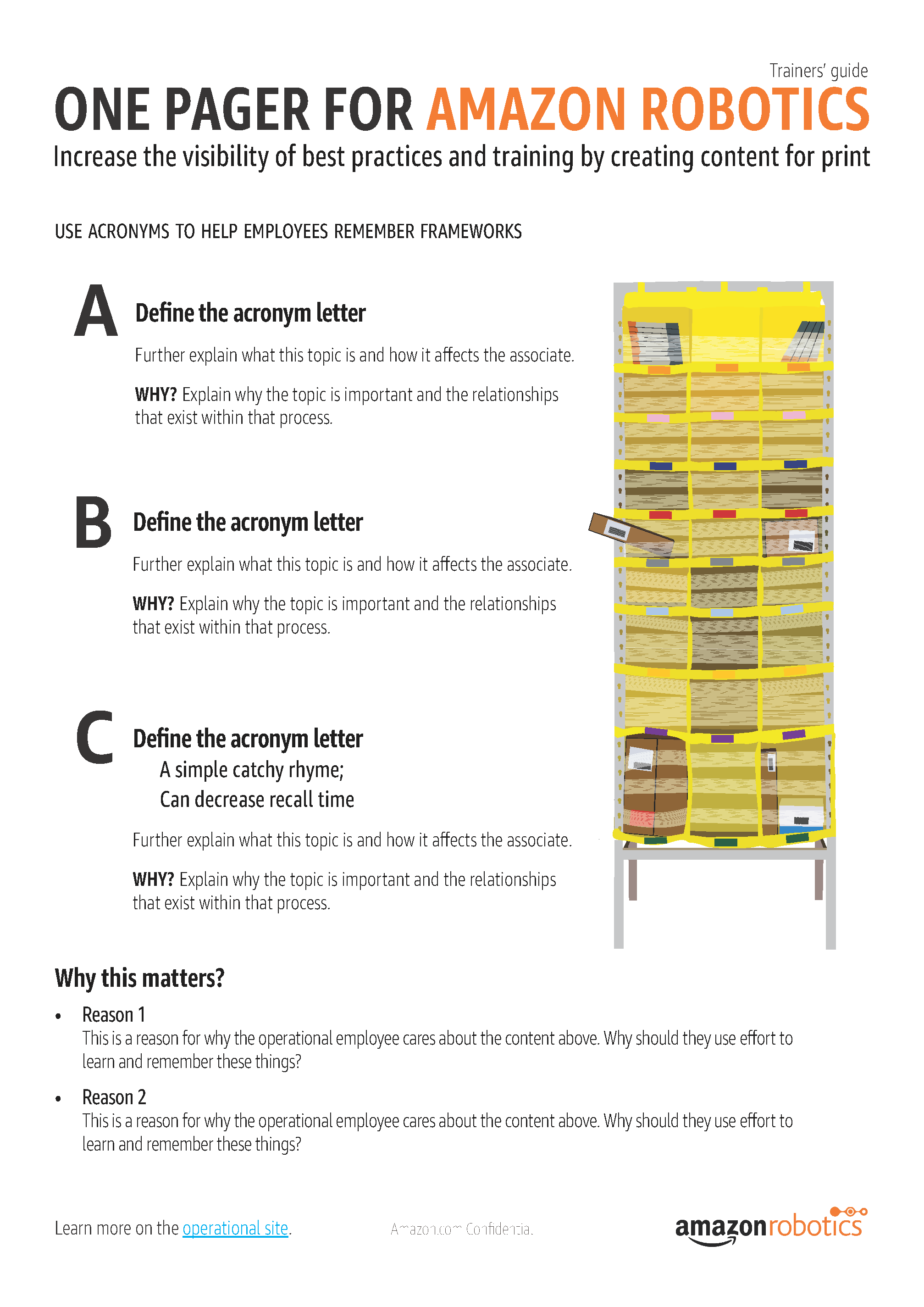
I developed a template for one pagers and then used this template to create 5 one pagers for our audience. Then, I created a landing page to host the pdfs so we could keep track of who visited the page and accessed the document.
After Prime Day in June, my team realized we needed a way to reach associates off their screens, quickly and efficiently. We had important, time-sensitive messages that needed to be communicated to associates regarding best practices. We decided to create one pagers that would allow for employees to see the information physically, hanging up on the wall across from their work station. This created new constraints for me to consider, like making the text legible from a certain distance away.